
Why are we moving to Visa?
The transition from Mastercard to Visa Debit is designed to enhance the member experience by offering wider global acceptance and improved security features.
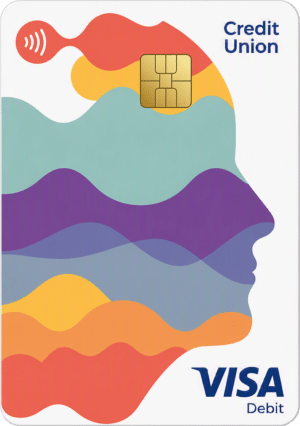
All card details will appear printed on the reverse of the VISA cards, rather than embossed on the front.
What does this mean for members?
- Members will receive a new Visa Debit Card to replace their existing Mastercard.
-
Members must activate their new Visa card by completing a PIN transaction and updating any payments or subscriptions linked to their old card.
-
The Mastercard will remain active temporarily while the member receives and activates their Visa card.
-
Once the Visa card is activated, the Mastercard will cancel automatically.
-
If the Visa card is not activated, the Mastercard will still be cancelled 3 weeks (~30 days) from the date the new Visa card is received.
-
For Joint Accounts, if one cardholder activates their Visa debit card both Mastercards are deactivated.
To avoid any disruption, members should activate their Visa card as soon as possible.
Steps For Card Activation
1️⃣ Sign the back of the card
🖊️Sign the back of the card immediately.
2️⃣ Obtain new PIN
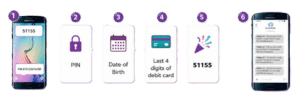
Text: PIN DDMMYYYY XXXX to 51155
or call (01) 693 3333
|
Where DDMMYYYY is your date of birth and XXXX is the last 4 digits of the new Visa card |
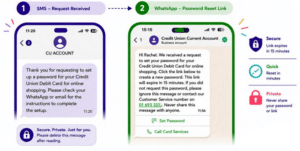
3️⃣ Create online shopping password When shopping online using Visa debit card, members may be asked to enter a password that they created along with a one-time passcode sent to their phone. This extra check helps to verify & identify members protecting them from fraud.
|
Text: PASSWORD DDMMYYYY XXXX to 51155 |
→ A message will then be received in WhatsApp or via email with instructions to create a password.
|
If members having trouble with the process, they may contact CU Card Services 24/7 on +353 1 6933333 |
Resetting online password for shopping with VISA
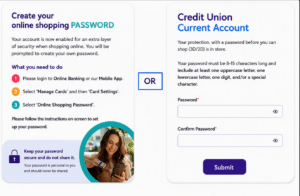
Member will now be required to use an OTP and a Password to make online purchases. member can create their online shopping PASSWORD using instruction below OR when completing an online transaction.
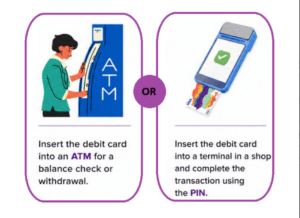
4️⃣ Activating VISA card
Make a Chip & PIN transaction at any ATM or any retailer to activate card and enable contactless payment.
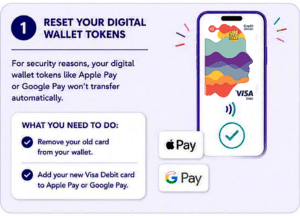
5️⃣ Update Wallet
Add or Update the new VISA card to Apple Pay / Google Wallet.
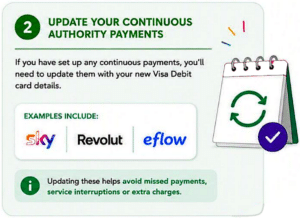
6️⃣ Update Subscriptions
Update subscriptions recurring and saved payments that set up with the old Mastercard, replace with the new VISA card.
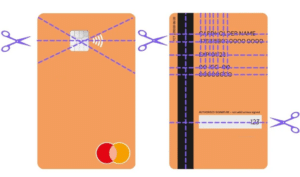
7️⃣ Destroy old Mastercard
Once the new VISA card is fully setup and activated, destroy the old Mastercard by cutting through the chip.
Click here to download the Visa Debit Activation Process.